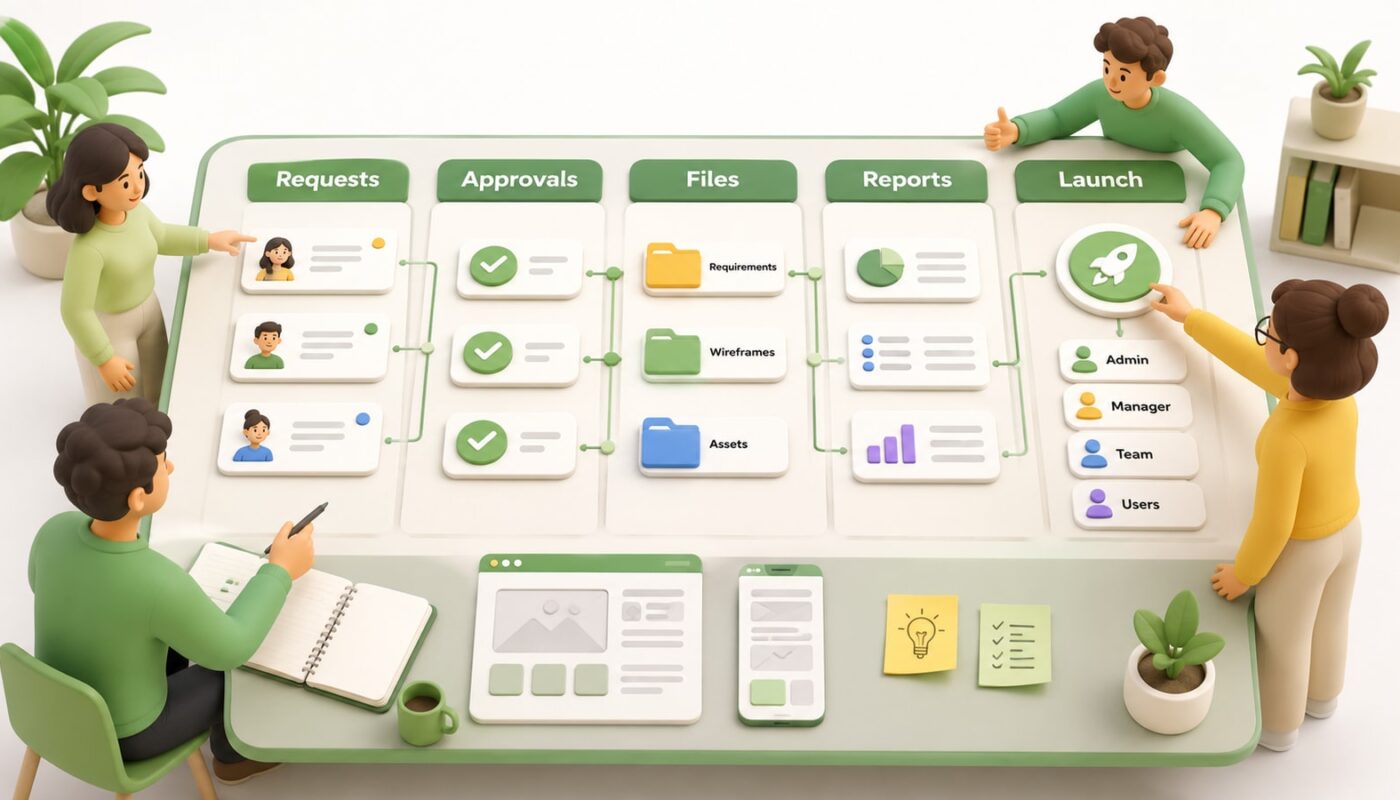
Many creative teams reach the point where spreadsheets, shared drives, chat threads, and email approvals no longer hold the work together. Requests arrive from different places. Files get duplicated. Feedback is scattered. Reporting takes too long. At that stage, a custom internal platform can be a smart investment, but only if the team maps the real workflow before development starts.
This platform planning checklist is designed for creative teams, studio managers, marketing teams, and operations leads who need a clearer way to manage requests, approvals, files, reporting, and delivery. The goal is not to design every screen in advance. The goal is to understand what the system must support so the development process starts with clarity instead of assumptions.
Why platform planning matters before development
Recent developments in AI, automation, and digital platforms show a clear shift: businesses are not only looking for tools that store work, but systems that help teams execute, improve decisions, and repeat quality processes. Creative teams feel this pressure strongly because their work depends on people, approvals, brand consistency, content assets, deadlines, and changing priorities.
A system platform for teams should not simply
the current mess into a prettier interface. Before building, the team needs to map how work actually moves, where it gets delayed, who needs access, what data matters, and what should be automated. This is where custom system planning becomes valuable.
The platform planning checklist
1. Define the real purpose of the platform
Start with the business problem, not the features. A platform built to manage creative requests will need different logic from a platform built for client approvals, content delivery, stock control, reporting, or internal task management.
- What problem is the platform meant to solve?
- Which manual work should it reduce?
- Which delays should it prevent?
- What should be easier after launch?
- How will the team know the platform is working?
A clear purpose keeps the build focused. Without it, every department may request features that make the system heavier but not more useful.
2. Map the people who will use it
Most internal platforms fail when they are planned only from management’s view. A creative team workflow includes different users with different needs: designers, video editors,
writers, project managers, account managers, clients, reviewers, finance staff, and leadership.
List each user group and define what they need to see, submit, approve, upload, edit, export, or report on. This becomes the foundation for permissions, dashboards, and user journeys.
3. Document the current workflow from request to delivery
Before designing a better workflow, write down the current one. Include every step from the first request to final delivery. For example: request submitted, brief reviewed, assets collected, task assigned, draft created, internal review, client approval, revisions, final export, delivery, invoice, report.
This step often reveals hidden friction. A missing brief field may delay design work. A file naming issue may cause version confusion. A vague approval step may add days to a campaign. Workflow platform planning should expose these problems before a developer writes code.
4. Separate must-have features from nice-to-have features
Creative teams often have many ideas once platform planning begins. That is useful, but it needs prioritisation. Divide features into three groups.
- Must-have: required for the platform to function at launch.
- Should-have: important but can follow after the first stable version.
- Later improvement: useful once the team has tested the platform in real work.
For a creative operations platform, must-have features may include request forms, project status, file uploads, approval stages, user roles, notifications, and delivery records. Advanced analytics, AI suggestions, complex automation, and deep integrations may be better planned as later phases.
5. Plan the data structure carefully
Every platform depends on clean data. If the structure is weak, reporting, automation, search, and permissions become difficult later. Decide what information must be captured for each project, client, campaign, asset, user, approval, and delivery.
Useful fields may include project name, client name, service type, deadline, priority, assigned team members, approval status, file links, revision count, budget code, content channel, and final delivery format. This internal platform checklist should also include naming rules so the team does not create five different labels for the same thing.
6. Define approval rules and permissions
Approval is where many creative workflows slow down. A custom platform should make it clear who can request, review, approve, reject, comment, upload final files, and close a job.
Map permissions by role. For example, a client may only see their own projects, a designer may only edit assigned tasks, a project manager may control deadlines, and leadership may view reports across all work. Good permission planning protects the workflow and reduces confusion.
7. Identify integrations before development starts
A custom system rarely works alone. It may need to connect with a website, CRM, email, Google Drive, Dropbox, accounting tools, calendars, WhatsApp workflows, analytics tools, or AI automation services.
List which integrations are essential at launch and which can wait. Also decide whether data should flow one way or both ways. For example, a website form may create a request in the platform, while a completed project may trigger a delivery email or reporting update.
8. Decide what reporting should show
Reports should answer practical management questions. How many requests came in this month? Which jobs are overdue? Which team members are overloaded? How many revisions are happening per project? Which services are requested most often? What has been delivered?
Do not wait until the platform is built to think about reporting. The reports you need will determine what data must be collected from day one.
9. Plan automation with control, not hype
Automation can help creative teams, but it should support the workflow rather than replace judgment. Good examples include automatic status updates, deadline reminders, missing brief alerts, approval notifications, recurring report generation, and file handover prompts.
AI can also assist with summaries, brief checks, content categorisation, and performance insights, but these should be planned around quality control. Creative work still needs human direction, brand judgement, and final approval.
10. Prepare for launch, training, and adoption
A platform is only successful if people use it properly. Before launch, decide who will test it, how feedback will be collected, what training is needed, and which old processes must stop once the system goes live.
- Create a small pilot group before a full rollout.
- Prepare short user guides for each role.
- Test real projects, not imaginary examples.
- Collect issues and prioritise fixes.
- Set clear rules for when the platform becomes the source of truth.
A simple planning framework
Before building, summarise the platform in one clear planning document: users, workflows, data, permissions, integrations, reports, automations, and launch requirements. This document becomes the bridge between the creative team, management, and developers.
At Digivolve Media, system platform work connects strategy, UX/UI design, web development, automation, AI, and content workflows. For growing teams, the right planning process helps turn scattered operations into a practical digital system that is easier to manage, scale, and improve over time.