Most growing teams do not have one broken system. They have many small gaps between tools. An enquiry arrives by email, the brief moves to a document, assets sit in a shared drive, approvals happen in chat, website updates are requested separately, and reports are built manually at the end of the month. Each tool may work on its own, but the handovers between them create delays, duplicated work, missed information, and unclear ownership.
This is where AI workflow triage becomes useful. Instead of trying to automate everything at once, triage helps your team decide which workflow gaps deserve attention first. It is a practical way to connect AI business automation with media operations, IT structure, content delivery, and measurable business outcomes.
Start with the problem, not the software
Many businesses respond to disconnected business tools by buying another platform. That can make the problem worse if the real issue is unclear process design. Before adding AI or automation, map what already happens from start to finish.
Choose one common business journey, such as a new client enquiry, a content request, a campaign approval, a website update, or a monthly report. Then write down every step, every tool used, every person involved, and every point where information is copied, retyped, chased, or delayed.
The goal is not to create a perfect technical diagram. The goal is to see where work slows down and where automation could remove friction without disrupting the whole business.
The AI workflow triage framework
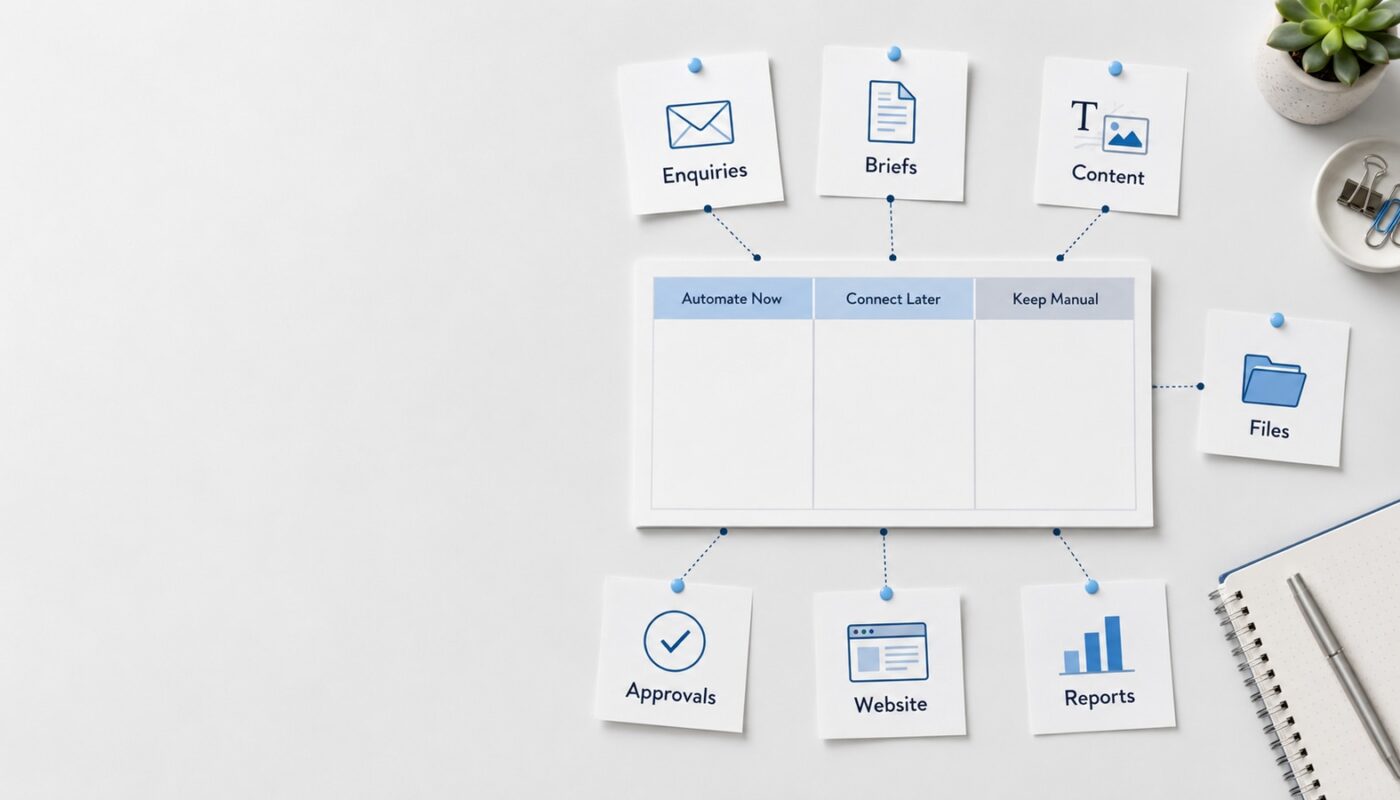
A simple triage process can divide workflow issues into three groups: automate now, connect later, and keep manual. This prevents teams from wasting time on low-value automation while urgent problems remain untouched.
1. Automate now
These are repetitive, high-volume, low-risk tasks that slow people down every week. They usually follow a predictable pattern and do not require deep strategic judgement.
- Capturing website enquiries into a CRM or project sheet.
- Creating task cards from approved briefs.
- Renaming and organising uploaded files into the correct folder structure.
- Sending internal notifications when content is ready for review.
- Generating first-draft summaries from forms, meeting notes, or reports.
- Updating publishing trackers after content is approved.
These tasks are good candidates for small team automation because they reduce admin without removing human decision-making. AI can assist with classification, summarisation, routing, and drafting, while automation tools handle movement between systems.
2. Connect later
Some workflows are important but not ready for automation yet. They may involve unclear responsibilities, inconsistent data, or too many exceptions. Automating them too early can create confusion faster.
- Content approval processes where no one agrees who gives final approval.
- Sales follow-up systems without clear lead stages.
- Reporting workflows where each team measures success differently.
- Website update requests that arrive without standard briefing information.
- File libraries with inconsistent naming, permissions, or folder logic.
For these workflows, the first step is standardisation. Create better forms, naming rules, approval stages, templates, and ownership. Once the process is stable, automation becomes easier and safer.
3. Keep manual
Not every task should be automated. Some decisions need human judgement, taste, relationship awareness, or brand sensitivity.
- Final creative direction for a campaign.
- Client relationship conversations.
- Approving sensitive public messaging.
- Strategic website positioning.
- Complex operational decisions with many exceptions.
AI can support these areas with drafts, research summaries, checklists, or comparison tables, but final judgement should stay with the team.
Use impact and effort to choose the first workflow
A good workflow automation guide should help you prioritise. Score each workflow gap using four simple questions.
- Frequency: Does this happen daily, weekly, or only occasionally?
- Time loss: How much manual effort does it create?
- Business impact: Does it affect leads, delivery speed, customer experience, reporting, or team focus?
- Process clarity: Is the current process predictable enough to automate safely?
The best first automation usually has high frequency, clear steps, visible business impact, and low technical risk. For example, automating content request intake is often more valuable than building a complex AI dashboard. A structured form can collect the brief, create a task, assign the right person, store files correctly, and notify the reviewer. This immediately improves speed and accountability.
Look at your workflow like an IT and media operation
The research context for this article highlights a useful reality from modern technical roles: strong systems depend on reliable infrastructure, testing, data pipelines, security, and collaboration across teams. Small businesses may not need enterprise-level infrastructure, but the principle still applies. Automation should be reliable, secure, testable, and easy for real people to use.
That means your AI business automation should not only move data from one app to another. It should support the way your team actually produces work. In a content workflow automation setup, for example, AI may help turn a brief into draft
, but the system must also manage assets, approvals, publishing status, version control, and reporting. Media, IT, and operations need to work together.
A practical first automation path
If your team uses too many disconnected tools, start with a small but complete workflow. A useful path could look like this:
- Choose one workflow, such as enquiries, content requests, or reporting.
- Map the current tools and handovers.
- Remove unnecessary steps before adding automation.
- Standardise the input with a clear form or template.
- Connect the core tools first, such as website form, email, task board, storage, and reporting sheet.
- Add AI only where it improves speed or clarity, such as summaries, categorisation, draft generation, or status updates.
- Test the workflow with real examples before relying on it daily.
- Review results after two to four weeks and improve the system gradually.
What success should look like
The outcome of AI workflow triage is not more software. It is less confusion. Your team should know where requests enter, where files live, who approves work, what is waiting, what is complete, and what needs attention. The business should see fewer missed tasks, faster responses, clearer reporting, and better use of team time.
For small teams, the smartest automation is usually not the most advanced one. It is the one that removes a real bottleneck and makes daily work easier to manage.
Digivolve Media helps businesses connect digital platforms, websites, media workflows, AI tools, and automation systems into practical working processes. For teams dealing with disconnected tools, the right starting point is not a complete rebuild. It is a clear triage process that identifies what to automate first, what to improve next, and what should remain human-led.