Many service businesses have added online forms, payment tools, project boards, calendars, and AI assistants without solving the underlying operational problem. Client information still moves manually from one tool to another, staff members repeat the same updates, and important decisions remain buried in inboxes.
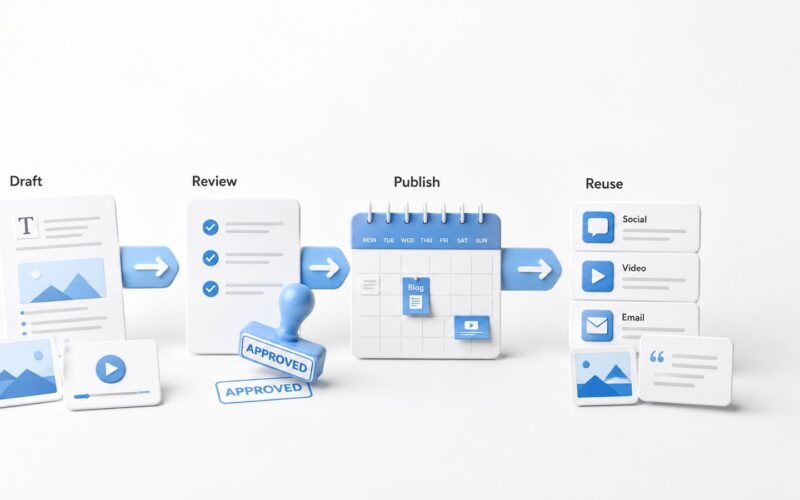
A client service workflow platform solves this by treating every client engagement as one connected process. Instead of managing separate tools independently, the business creates a shared record that moves from enquiry to delivery while triggering the right actions, approvals, notifications, and reports.
Start with one client record
The workflow should begin when an enquiry enters the business through a website form, email, phone call, social media message, or referral. Regardless of the source, the information should be stored in one central client record.
This record may include contact details, requested service, budget range, preferred timeline, communication history, uploaded files, quotation status, payment status, assigned team members, and delivery milestones.
The central record becomes the operational source of truth. Staff should not need to search through multiple inboxes or spreadsheets to understand what has happened and what needs to happen next.
The end-to-end client service workflow
1. Capture and qualify the enquiry
When a new enquiry arrives, the system should create the client record, acknowledge receipt, assign an owner, and request any missing information. Basic rules can categorise the enquiry by service, urgency, location, budget, or project type.
AI can support this stage by summarising long messages, extracting requirements, identifying missing details, and suggesting a suitable response. A person should still review complex enquiries, unusual requests, and high-value opportunities before commitments are made.
2. Prepare and approve the quotation
Once the opportunity is qualified, the platform should generate a quotation task using the information already collected. Standard service packages, pricing rules, optional items, and terms can be inserted automatically.
The quotation should pass through an internal approval step when discounts, custom pricing, or unusual delivery conditions are involved. After approval, the system can send the proposal, record when it was viewed, schedule a follow-up, and update the opportunity status.
3. Confirm acceptance and payment
When the client approves the proposal, the same record should capture the acceptance, signed agreement, deposit request, invoice, and payment confirmation. This prevents the common problem of sales confirming a project before operations knows whether the required documents or payment have been received.
The workflow should only move forward when the agreed conditions are met. For example, scheduling may remain locked until the deposit is paid and the brief is approved.
4. Schedule the work
After confirmation, the system can create the project, assign the responsible team, suggest available dates, and send the client a scheduling link or proposed appointment.
For field services, consultations, production work, or installations, automated reminders can confirm appointments, notify staff of changes, flag late arrivals, and request replacement resources when required. The goal is not simply to send more messages. It is to keep the schedule, team, and client working from the same information.
5. Hand work to the delivery team
A reliable service business workflow system should convert the approved scope into clear operational tasks. Each task should include the relevant client information, files, deadlines, dependencies, and acceptance criteria.
This is where many businesses lose context. Sales promises remain in email threads while the delivery team receives only a short task title. A connected platform transfers the complete brief automatically and asks for human confirmation when requirements are unclear.
6. Send useful client updates
Automated client updates should be triggered by meaningful events rather than sent on a fixed schedule without context. Useful updates may include confirmation that payment was received, the project has been scheduled, work has started, feedback is required, delivery is ready, or a deadline has changed.
Routine messages can be automated, but sensitive communication should remain human. Complaints, delays, scope disputes, pricing changes, and complex feedback require judgement, empathy, and direct responsibility.
7. Complete delivery and follow-up
At delivery, the platform should confirm that all required files, services, approvals, and documentation are complete. It can then send the final delivery message, request acceptance, issue the remaining invoice, and schedule a follow-up.
Client onboarding automation should therefore connect naturally to client retention. The same record can trigger a satisfaction check, support request, maintenance reminder, renewal opportunity, testimonial request, or future service recommendation.
What the system should automate
- Creating records from new enquiries
- Assigning owners and due dates
- Generating standard documents and tasks
- Sending confirmations and reminders
- Updating workflow stages after approvals or payments
- Alerting staff when progress stalls
- Producing operational and client service reports
What should remain under human control
- Final pricing decisions and discounts
- Custom scope approval
- Promises about deadlines or outcomes
- Complaint handling and conflict resolution
- Quality review before final delivery
- Messages involving risk, sensitivity, or major changes
Build the workflow before adding more AI
Recent platform developments increasingly combine service portals, workflow automation, ticketing, scheduling, workforce coordination, and AI-assisted communication. The practical lesson is that AI works best after information has been structured and responsibilities have been defined.
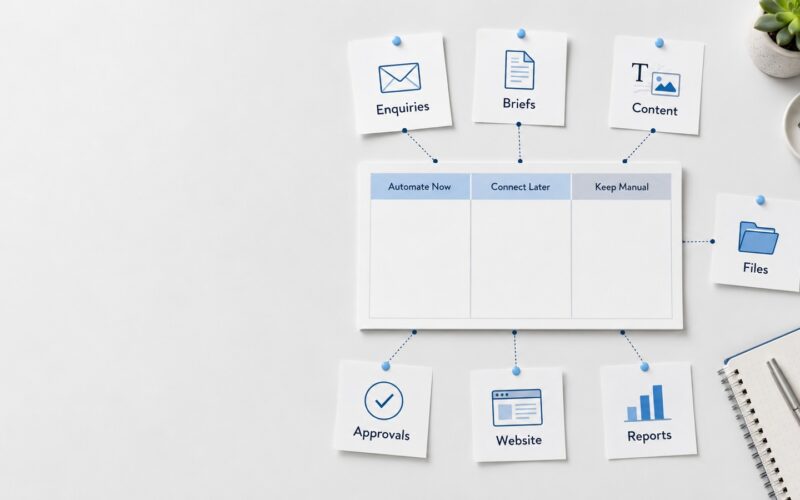
Do not begin by asking which AI agent to add. Begin by mapping the stages, required information, decision owners, approval points, triggers, exceptions, and client messages. AI can then support the process without becoming the process.
A simple implementation checklist
- Map the current journey from enquiry to follow-up.
- Identify every manual transfer between tools.
- Choose one location for the master client record.
- Define the trigger that moves each stage forward.
- Add approval gates for pricing, scope, and delivery.
- Automate routine updates and reminders.
- Create exception alerts for stalled or unusual cases.
- Measure response time, approval time, delivery time, and follow-up completion.
A well-designed service delivery platform does not remove people from client service. It removes avoidable administration so people can respond faster, make better decisions, and give clients clearer communication.
Digivolve Media helps service businesses plan and build connected business operations through system platforms, websites, automation, AI-assisted workflows, and practical digital tools designed around the way their teams actually work.