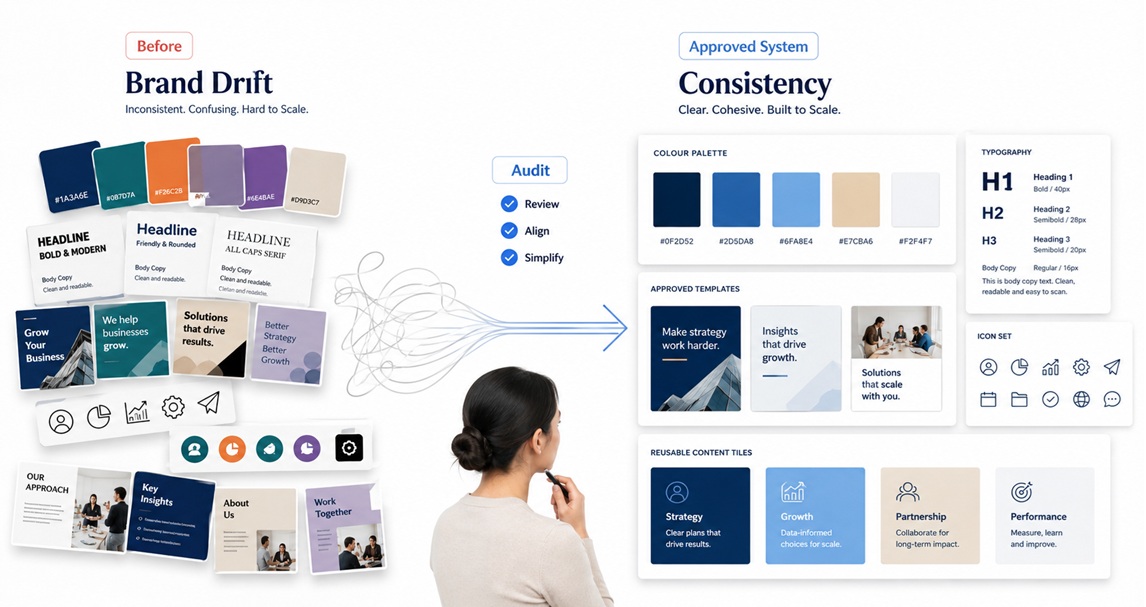
As a brand grows, its visual identity becomes harder to control. At the start, one designer, one folder, and a few approved files may be enough. But once marketing staff, sales teams, external designers, web developers, social media managers, printers, and partners all need access to brand materials, small gaps quickly become expensive.
The problem is not always a weak brand identity. Many growing businesses already have strong logos, colour palettes, fonts, templates, and image styles. The real issue is the missing brand asset handover workflow. Without a clear system, teams waste time searching old emails, reusing outdated logo files, requesting the same font links, rebuilding templates, or guessing which version is approved.
A better workflow helps your team move faster while protecting visual brand consistency. It turns your brand assets from scattered files into a practical operating system for everyday content, websites, presentations, campaigns, and partner work.
Why brand assets get lost as teams grow
Brand files usually become messy for simple reasons. A designer sends final logo files through email. A social media template sits inside one person’s Canva account. Fonts are saved on a laptop but not documented. Campaign artwork is stored in a project folder with no clear final version. A supplier receives one set of files, while the internal team uses another.
This creates confusion across the visual identity workflow. People may use low-resolution logos, incorrect colours, old templates, or inconsistent typography because the correct files are not easy to find. The result is not only a design problem. It affects production speed, approval quality, website updates, content workflows, and the way customers experience the brand.
Build a simple brand asset handover workflow
A strong workflow does not need to be complicated. It needs to answer five practical questions: what is approved, where is it stored, who can access it, how should it be used, and how will updates be managed?
1. Create one approved brand asset home
Start by choosing one central place for approved digital brand assets. This could be a shared cloud folder, brand portal, digital asset management platform, or structured workspace inside your business system. The important point is that the team knows this is the source of truth.
Avoid spreading final files across personal drives, WhatsApp chats, old project folders, and email attachments. Those channels can be used for discussion, but not as the official storage location.
2. Separate working files from approved files
One of the most common causes of brand confusion is mixing drafts with final assets. Create a clear difference between files that are still being designed and files that are ready for use.
Your structure could include:
- 01 Brand Guidelines for usage rules, colour codes, typography, logo spacing, and tone references.
- 02 Approved Logos for final logo files in PNG, SVG, PDF, and other required formats.
- 03 Fonts and Typography for font files, links, licences, and usage notes.
- 04 Colours and Graphic Elements for palettes, icons, patterns, backgrounds, and approved visual assets.
- 05 Templates for social media posts, presentations, documents, email banners, proposals, and campaign layouts.
- 06 Campaign Assets for current and archived campaign material.
- 07 Supplier Handover Pack for printers, agencies, developers, media partners, and external collaborators.
3. Use file names that explain the asset
Good brand files organisation depends on naming. A file called logo final final new.png is not useful six months later. Use consistent names that include the brand name, asset type, version, format, and use case where needed.
For example, a practical naming pattern could be: BrandName Logo Primary FullColour RGB v01.svg. For templates, use names such as BrandName Instagram Carousel ProductLaunch v02 or BrandName Proposal Template A4 v01.
The goal is not to make file names long for no reason. The goal is to make them understandable without needing to open every file.
4. Add a handover checklist for each asset group
A creative team handover should include more than files. It should explain how assets are meant to be used. For each major asset group, include a short checklist that answers practical questions.
- Which file should be used for web, print, social media, and documents?
- Which logo versions are approved for light and dark backgrounds?
- Which fonts are used for headings, body text, captions, and presentations?
- Which templates are editable and which should not be changed?
- Who approves new templates, colour changes, or campaign adaptations?
- Where should new final assets be uploaded after approval?
This prevents the brand system from depending on one person’s memory. It also helps new staff, freelancers, and partners become productive faster.
5. Control access without slowing people down
Not everyone needs the same level of access. Some team members only need view or download access. Designers may need edit access to source files. External partners may need a limited handover pack rather than the full internal archive.
A clean access structure protects the brand while keeping production efficient. For example, the marketing team can access social media templates, the sales team can access proposal decks and email banners, developers can access logos and UI assets, and external suppliers can access print-ready files.
Make approval part of the workflow
Brand asset management is not just storage. It also needs a clear approval process. Every new logo variation, template, icon set, campaign style, or document design should move from draft to review to approved before it enters the official asset library.
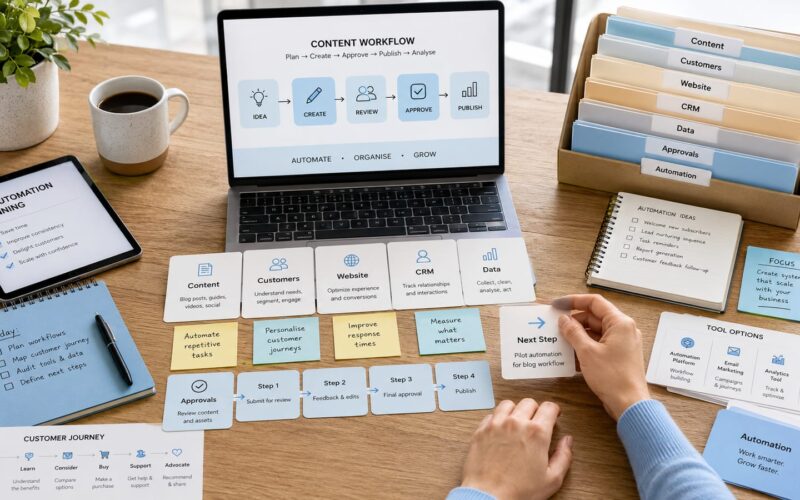
A simple workflow could look like this:
- Designer or content creator prepares the asset in a working folder.
- Marketing or brand lead reviews the file for accuracy and consistency.
- Required changes are made before the file is marked as approved.
- The approved file is exported in the correct formats.
- The file is uploaded to the official brand asset home.
- The old version is archived or clearly marked as outdated.
This prevents outdated material from competing with the correct version. It also supports smoother website updates, campaign launches, content production, and partner collaboration.
Use automation carefully where it helps
Growing teams can improve the handover process with simple automation. For example, a request form can collect new asset requests, a shared approval board can track status, and automated notifications can remind the right person when a file needs review. AI tools can help summarise brand rules, generate asset checklists, or organise large archives, but they should not replace human approval for final brand decisions.
The best system is practical, not over-engineered. A small business may only need a structured cloud folder and checklist. A larger team may need a digital asset management platform, role-based permissions, approval workflows, and integration with website, social media, and design tools.
A quick brand asset handover checklist
Before handing brand assets to staff, partners, or suppliers, check that the package includes:
- Approved logo formats for digital, print, light backgrounds, and dark backgrounds.
- Colour codes for RGB, HEX, CMYK, and any platform-specific use cases.
- Font files, font links, licence notes, and typography rules.
- Editable templates for social media, presentations, proposals, and campaigns.
- Exported ready-to-use files for non-design team members.
- Clear naming rules and version numbers.
- Usage notes showing what to use and what to avoid.
- Approval contact or process for new design requests.
- Archive folder for outdated assets.
Turn brand assets into a working system
A brand asset handover workflow is not only about keeping files tidy. It protects consistency, saves production time, reduces repeated questions, and helps teams create content with more confidence. When everyone knows where to find the right logos, fonts, templates, and approval files, the brand becomes easier to manage as it grows.
Digivolve Media helps businesses connect branding, websites, content workflows, digital platforms, and automation into practical systems. For growing brands, this means building visual identity workflows that are easy for teams to use, not just beautiful to look at.